← All Lab Notes
Lab Notes #006
Speaker Check
These files are designed to be played to one speaker at a time, sequentially checking every speaker or audio zone in the rig.
revised 6/2024: increased count of some categories to 16
revised 4/2026: added bulk download .zip of 1.wav through 24.wav
Example Usage
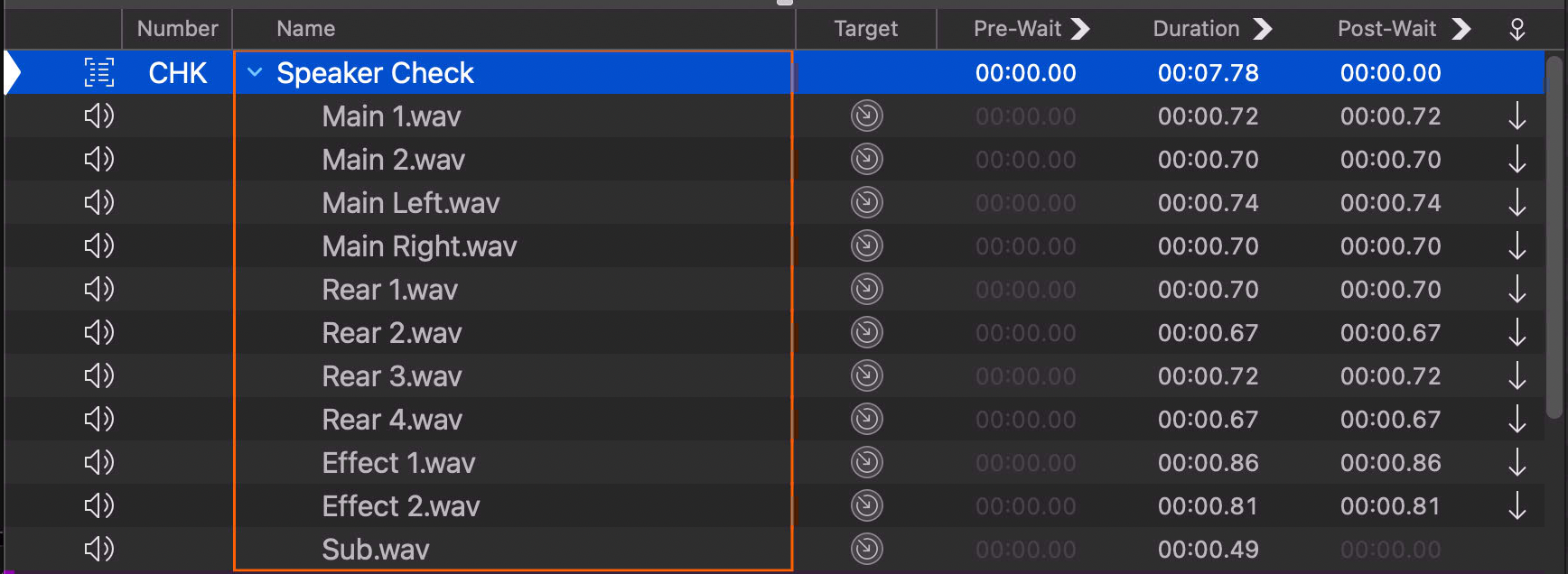
Applescript to generate these files
-- Speaker / zone names to generate files for
set names to {¬
    "Main", "Main Left", "Main Right", "Center", ¬
    "Surround", "Effect", "Sub", "Delay", ¬
    "Fill", "Rear", "Sound Object", "Balcony", ¬
    "Monitor", "Lobby"}

set outputFolder to choose folder

-- For each name: one bare file + 16 numbered variants
repeat with name in names
    set outputFile to (outputFolder as string) & name & ".wav"
    say name saving to outputFile

    set x to 1
    repeat 16 times
        set outputFile to (outputFolder as string) & name & " " & x & ".wav"
        say (name & " " & x) saving to outputFile
        set x to x + 1
    end repeat
end repeat

-- Numbered files 1.wav … 24.wav at a slower speaking rate
set x to 1
repeat 24 times
    set outputFile to (outputFolder as string) & x & ".wav"
    say (x) speaking rate 120 saving to outputFile
    set x to x + 1
end repeat
More Lab Notes
#001
Voxel Case
#002
Cable Standard
#003
GET and POST with QLab
#004
Using Wireshark for Theater Protocols
#005
Make QLab Unstoppable
#006
Speaker Check
#007
3D Printables
#008
Adapter Survey
#009
Projection Mapped Stage Deck
#010
Voxel Model Box
#011
Using a Mac Mini as an always-on AirPlay Receiver